




The German hosting market 2026: Key p...
5 Oct 2026
A website can be technically reachable and still fail to inspire trust with your visitors. If an SSL certificate expires, is configured incorrectly or does not match the domain, browsers will quickly display security warnings. With SSL monitoring you regularly check whether your certificate is valid, when it expires and whether the HTTPS connection is working correctly. This way you can recognise certificate problems early, before visitors abandon the site, logins appear insecure or important services are no longer reliably accessible. In this article you will learn exactly what SSL monitoring is, which errors it can uncover and how to set up the monitoring step by step with Hosttest Plus.
 Christopher | 3 Jul 2026
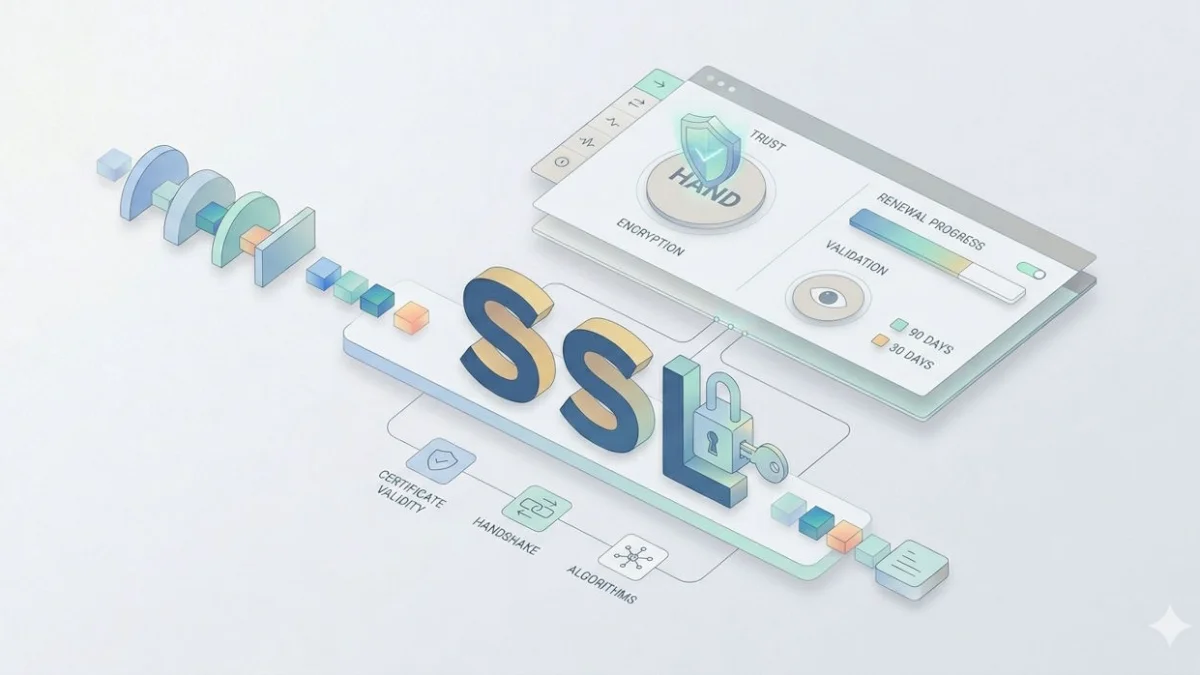
via Gemini
SSL monitoring monitors TLS/SSL certificates and the availability of HTTPS to detect expiry, domain matching and faulty certificate chains at an early stage. It complements automatic renewals and reduces the risk of browser warnings, service outages and disrupted external interfaces.
An expired or misconfigured SSL certificate can cause visitors to see a security warning, make logins appear insecure, or prevent critical interfaces from connecting. SSL monitoring helps you detect such issues early.
A website can be technically accessible yet still fail to inspire trust among visitors. This can happen, for example, when the browser displays a security warning when accessing your domain because the SSL certificate is expired, invalid or misconfigured.
Visitors may abandon the page immediately, logins may appear insecure and payment transactions may no longer complete reliably. External interfaces, mobile apps, webhooks or automated services can also refuse to connect if the certificate cannot be properly validated.
An SSL certificate ensures that the connection between the browser and the web server is established using encryption. This protects transmitted data and allows the requested domain to be reliably associated with the encrypted connection.
The certificate enables encrypted data transmission between a visitor and a website. This prevents data from being easily read in plain text.
The browser checks whether the delivered certificate actually matches the requested domain and was issued by a trusted certificate authority.
A valid certificate is a prerequisite for a website to be reliably accessed via HTTPS. For professional websites, HTTPS is virtually indispensable today.
Technically, TLS is usually referred to today. However, the term SSL remains widespread and is often used colloquially as a collective term for encrypted HTTPS connections and the certificates required for them.
SSL monitoring regularly checks whether a domain's certificate is functioning correctly. It not only verifies whether a certificate is present, but also whether it is valid, matches the domain and whether the HTTPS connection can be established without errors.
The monitoring checks whether an SSL or TLS certificate is served for the monitored domain.
It checks whether the certificate is currently valid and can be accepted by browsers or external services.
SSL monitoring detects when a certificate expires and can trigger a warning in good time before expiry.
The monitoring checks whether the certificate matches the monitored domain, the www variant or the respective subdomain.
Missing or incorrectly included intermediate certificates can also lead to warnings and should be detected.
Additionally, it checks whether the encrypted connection to the website can generally be established without errors.
An SSL certificate is not a one-off component of a website that will then continue to work unchanged. Certificates have a limited validity period and must be renewed regularly.
Many website operators rely on their hosting provider or an automated system to handle renewals. That is generally sensible, but it does not replace external monitoring.
Every SSL certificate is only valid for a specific period. After expiry, browsers no longer accept the certificate as trusted. The website may still be technically accessible, but it will be blocked with a prominent security warning.
If the browser displays a warning about the security of the connection, many visitors leave the website immediately. Such a warning quickly appears untrustworthy, even if it is merely a technical error during certificate renewal.
Where personal data is transmitted, a trusted HTTPS connection is especially important. This includes contact forms, customer accounts, login areas, payment pages and checkout processes.
SSL problems do not only affect the visible website visit in the browser. Many digital processes also require a valid HTTPS connection.
SSL monitoring can reveal various certificate and connection problems. Some of these are immediately apparent to visitors, while others are initially noticed only by technical systems.
The classic case: the certificate is no longer valid. Browsers display a security warning and visitors can often access the site only after an additional intermediate step.
Good SSL monitoring warns not only when an error occurs, but already before expiry. This leaves enough time for renewal.
For example, the certificate may cover the www variant but not the primary domain, or an important subdomain was not included.
If intermediate certificates are missing or incorrectly installed, browsers or external systems may reject the connection.
The site may be reachable via HTTP, but the encrypted HTTPS connection does not function correctly.
Mixed content occurs when an HTTPS page loads individual resources over HTTP. This is not the core focus of basic SSL monitoring, but should be checked as well.
Certificate errors can arise quickly, especially during server migrations, when new subdomains are added, or when the domain structure changes.
| Problem | Typical example | Possible consequence |
|---|---|---|
| Missing www variant | The certificate is valid for beispiel.de, but not for www.beispiel.de. | Visitors to the www address see a security warning. |
| Missing subdomain | shop.beispiel.de or api.beispiel.de was not included in the certificate. | The shop, API or customer area may not function reliably. |
| Wrong certificate after migration | After a server change, a certificate from another project is still being served. | Browsers and external services flag the connection as invalid. |
| Server misconfigured | When multiple websites are hosted on one server, the wrong certificate is used. | Only individual domains or subdomains are affected. |
| HTTPS port not accessible | Port 443 is blocked or the web server is not accepting HTTPS connections. | The website is not reachable over HTTPS. |
With SSL monitoring, the monitored domain is checked regularly over HTTPS. The monitoring system establishes an encrypted connection and analyses the certificate data delivered by the server.
The monitoring system establishes an encrypted connection to the monitored domain.
The server provides the installed certificate and the certificate details are analysed.
The monitoring checks whether the certificate is currently valid and when it expires.
It checks whether the certificate matches the domain, the www variant or the respective subdomain.
In case of an error or upcoming expiry, a notification can be triggered so you can respond in good time.
An SSL certificate should not be checked only on its last day of validity. Depending on the website and the organisational effort involved, multiple alert levels are advisable.
Provides enough lead time to check automatic renewals, contact the hosting provider or prepare necessary changes.
Useful as an additional reminder if no successful renewal has yet taken place.
Helps ensure open issues are not overlooked and to take timely action before expiry.
Serves as a final warning before browsers and external services no longer accept the certificate as valid.
Many websites consist of more than a single domain. In addition to the primary domain there are often www variants, subdomains, online shop systems, customer areas or interfaces.
The website's primary domain should always be monitored.
The www version should also be checked if it is publicly accessible.
Important subdomains such as shop, login, app, api or portal should have their own checks.
Shop areas, payment pages and checkout domains are particularly critical.
Login and customer portals require a consistently trusted HTTPS connection.
Publicly accessible webmail interfaces should also be monitored.
Interfaces and webhooks can fail unnoticed due to certificate problems.
Separate campaign or staging domains should not be forgotten.
If you see an SSL warning, first check what the problem is. If the certificate is about to expire, the approach is different to that for an incorrect domain mapping or a faulty certificate chain.
If the certificate has just been renewed but an error still appears, the web server may still be serving the old certificate. In such cases, reloading the web server configuration or checking the stored certificate files often helps.
Many websites today use automatically renewed SSL certificates, for example through the hosting provider or via Let’s Encrypt. That significantly reduces manual effort, but it is not a guarantee that everything will continue to work.
SSL monitoring checks from an external perspective which certificate is actually delivered when the domain is requested. This perspective is crucial because it matches what browsers, visitors and external services see.
SSL monitoring is an important part of technical website monitoring, but it does not replace a full security analysis.
SSL Monitoring and other Website Monitoring Tools such as HTTP Monitoring check different areas and therefore complement each other very well. Reliable website monitoring should not rely on a single check alone.
Checks whether the encrypted connection can be established correctly, whether the certificate is valid and whether it matches the domain.
Checks whether the website itself is reachable, which status code the webserver returns and how quickly it responds.
The SSL certificate is valid, but the website returns a server error or an important subpage is not reachable.
The website application is basically functional, but the certificate has expired or HTTPS has been misconfigured.
With HOSTtest Plus you can centrally monitor SSL certificates and HTTPS connections. You can add important domains and have them checked regularly to see whether the certificate is valid and when it expires.
This lets you detect expiring certificates early. Instead of only becoming aware of the problem through a browser warning or a customer report, you can act before expiry.
Checks certificates, expiry dates and HTTPS connections.
Checks availability, status code and response time.
Monitors whether domains resolve correctly.
Checks basic network reachability.
Monitors important services and network ports.
Checks whether the expected content is delivered.
An SSL monitor can be set up quickly in HOSTtest Plus. After logging in, create a new monitor, choose the appropriate monitoring type and then specify which domain or HTTPS address should be checked regularly.
First create a free HOSTtest Plus account, or log in with your existing credentials.
Open the menu section Pulse → Monitors. There you can create an individual monitor for your domain, website or subdomain.

Select SSL as the monitor type. HOSTtest Plus will then check whether the certificate for the configured domain is valid and when it expires.
Enter the domain, subdomain or HTTPS address whose certificate you want to monitor. Especially important are the main domain, the www variant, shop, login area, API domain and customer portal.
Choose how often the check should be performed and when you want to be notified before an expiry or if there's a certificate problem.
Turn on SSL monitoring by clicking "Create monitor". From that point HOSTtest Plus will check your certificate automatically.


SSL monitoring is an important addition to any professionally run website. It ensures that expiring, invalid or misconfigured certificates are not overlooked.
Because certificate problems are immediately visible to visitors, they can quickly erode trust. Browser warnings, non-functioning logins, interrupted checkout processes or disrupted interfaces can be avoided far more effectively through early monitoring.
Automatic certificate renewals are helpful, but they do not replace external checks. SSL monitoring verifies, from the perspective of a visitor or an external service, whether the HTTPS connection actually works. As such, it is a central component for the reliable and trustworthy availability of a website.
Write a comment
Tags for this article
More web hosts
More interesting articles
If you are looking for a suitable web hosting provider, you will quickly come across information about the uptime or dow...
The best Uptime Kuma alternatives compared: open-source tools and SaaS services – costs, strengths and weaknesses analys...
This article provides a comprehensive overview of website monitoring and presents the best tools for monitoring a websit...
Websites must be accessible at all times today. Just a few minutes of downtime can cost visitors, enquiries, and revenue...
With Keyword Monitoring you regularly check whether important content is present on your website and identify incorrect ...
A website can exist technically and still not work properly for visitors. HTTP monitoring regularly checks whether a URL...